🚀
Unified API access
Talk to every supported provider - hosted or local - through one OpenAI-compatible endpoint.
Supported providers
Open-source, cloud-native proxy unifying OpenAI, Anthropic, Groq, Cohere, Ollama, Ollama Cloud, DeepSeek, Cloudflare, Google, Mistral, MiniMax, Moonshot, Nvidia and llama.cpp behind a single OpenAI-compatible API.
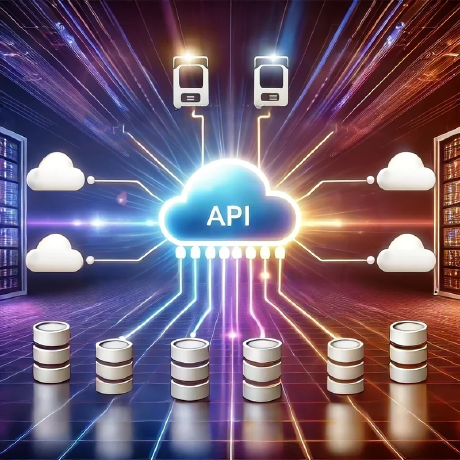
POST /v1/chat/completionsApps and A2A agents alike get one stable, OpenAI-compatible surface in front of every provider and MCP tool. Read the architecture overview.
$ docker run --rm -it -p 8080:8080 \
  -e OPENAI_API_KEY=your_key_here \
  ghcr.io/inference-gateway/inference-gateway:latest
# Gateway is live on http://localhost:8080/v1$npx @inference-gateway/cli@latest init$npx @inference-gateway/cli@latest chat# Interactive chat, agents, and tools from your terminal
Need Docker Compose, Kubernetes, or another provider? Read the getting started guide, or see the CLI documentation.
Building against multiple LLM providers means juggling SDKs, API quirks, auth schemes, and streaming protocols that drift constantly. Inference Gateway sits in front of every provider and exposes a single, stable, OpenAI-compatible surface so your application code never has to care which model is on the other end.
Native support for the Model Context Protocol lets LLMs automatically access external tools and data sources. With MCP integration, you can:
# Enable MCP with multiple servers
export MCP_ENABLED=true
export MCP_SERVERS="files=http://filesystem-server:8081/mcp,search=http://search-server:8082/mcp"

# LLMs automatically get access to all available tools
curl -X POST http://localhost:8080/v1/chat/completions \
  -d '{"model": "deepseek/deepseek-v4-flash", "messages": [{"role": "user", "content": "List files and search for recent AI news"}]}'
Learn more about MCP Integration and explore the examples.
Agent-to-Agent support lets LLMs coordinate with multiple specialised agents in a single conversation. Agents can:
The best way to use A2A is through the Inference Gateway CLI, which provides seamless integration with A2A agents:
# Install the CLI
curl -fsSL https://raw.githubusercontent.com/inference-gateway/cli/main/install.sh | bash

# Initialize and start chatting
infer init
infer chat

# Delegate tasks to A2A agents
> "Schedule a team meeting for tomorrow at 2 PM"
> "Check my calendar for conflicts this week"
Learn more about A2A Integration and see how to build your own agents.
Write an agent's description once, and let a tool write the code for it.
The Agent Definition Language (ADL) describes an entire A2A agent - provider, model, tools, skills, server, and deployment - in a single declarative agent.yaml file. The ADL CLI turns that manifest into an enterprise-ready Go, Rust, or TypeScript project, so the agent stays version-controlled and reproducible.
# Scaffold, validate, and generate an A2A agent from a declarative manifest
adl init my-weather-agent
adl validate agent.yaml
adl generate --file agent.yaml --output ./my-weather-agent
Read the Agent Definition Language overview to see how the language, the CLI that generates projects from it, and the Agent Development Kit (ADK) libraries those projects build on fit together. The full language specification lives on a separate site: ADL specification (external site: adl.inference-gateway.com).
Inference Gateway is Apache-2.0 licensed and developed entirely in the open: the gateway, the CLI, the SDKs, the ADK libraries, the Kubernetes Operator, the example agents, and these docs all live under the inference-gateway.
Ways to get involved:
If the gateway is useful to you, a star on GitHub helps others find it.